Compare prices and save on cheap textbooks at CheapestTextbooks.com
Compare prices and save on cheap textbooks at CheapestTextbooks.com HACKER SAFE certified sites prevent over 99.9% of hacker crime.
Bookmark and Share
CheapestCDPrice.comCheapestDVDPrice.comCheapestTextbooks.comGo to CheapestTextbooks USA!Go to CheapestTextbooks UK!
 
Multi-Store Textbook Search
  
(What's this?)

Selected Product:  

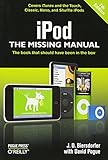
iPod: The Missing Manual,   ISBN:9780596522124

     
  iPod: The Missing Manual

 Quick Price Check:


From $8.48 Used
From $16.26 New


Make selection below
    
Binding: Paperback
Release Date: October 2008
Edition: 7
List Price: $19.99

Average Customer Rating:
Score = 4.5 Score = 4.5 Score = 4.5 Score = 4.5 Score = 4.5

ISBN-13: 9780596522124
ISBN-10: 0596522126
Author: J D Biersdorfer
Publisher: O'Reilly Media
Bookmark and Share
      e-mail a friend these results and save them $$$
Select button not working?   Click Here

Price Comparisons: New & Used

Store Price  Condition  Free Shipping? Online Coupons and Deals
Coupon/Deal | Coupon Code | Restrictions
Half.com
 (Marketplace) 
$8.48
as of 11/22 6am EST
Used NO, $3.49 to $3.99 Get $5 off a $50+ purchase. Click 'Select'
to show coupon
code HERE
New Users ONLY Click to view coupon instructions 
Amazon
 (Marketplace) 
$8.49
as of 11/22 6am EST
Used NO, $3.99 There are no current coupons/deals for this store in our database.
If you find one, please contact us.
Amazon
 (Marketplace) 
$16.26
as of 11/22 6am EST
New NO, $3.99 There are no current coupons/deals for this store in our database.
If you find one, please contact us.
Half.com
 (Marketplace) 
$20.76
as of 11/22 6am EST
New NO, $3.49 to $3.99 Get $5 off a $50+ purchase. Click 'Select'
to show coupon
code HERE
New Users ONLY Click to view coupon instructions 

Price Comparisons: New Only

Store Price  Condition  Free Shipping? Online Coupons and Deals
Coupon/Deal | Coupon Code | Restrictions
Amazon
 (Marketplace) 
$16.26
as of 11/22 6am EST
New NO, $3.99 There are no current coupons/deals for this store in our database.
If you find one, please contact us.
Half.com
 (Marketplace) 
$20.76
as of 11/22 6am EST
New NO, $3.49 to $3.99 Get $5 off a $50+ purchase. Click 'Select'
to show coupon
code HERE
New Users ONLY Click to view coupon instructions 

Price Comparisons: Used Only

Store Price  Condition  Free Shipping? Online Coupons and Deals
Coupon/Deal | Coupon Code | Restrictions
Half.com
 (Marketplace) 
$8.48
as of 11/22 6am EST
Used NO, $3.49 to $3.99 Get $5 off a $50+ purchase. Click 'Select'
to show coupon
code HERE
New Users ONLY Click to view coupon instructions 
Amazon
 (Marketplace) 
$8.49
as of 11/22 6am EST
Used NO, $3.99 There are no current coupons/deals for this store in our database.
If you find one, please contact us.

Price Comparisons: Rental

Store Price  Condition  Free Shipping? Online Coupons and Deals
Coupon/Deal | Coupon Code | Restrictions
Chegg
$10.64
as of 11/22 6am EST
Summer Rental
(60 days)
NO, $3.99 There are no current coupons/deals for this store in our database.
If you find one, please contact us.
Chegg
$11.32
as of 11/22 6am EST
Quarter Rental
(85 days)
NO, $3.99 There are no current coupons/deals for this store in our database.
If you find one, please contact us.
Chegg
$11.99
as of 11/22 6am EST
Semester Rental
(125 days)
NO, $3.99 There are no current coupons/deals for this store in our database.
If you find one, please contact us.
Select button not working?   Click Here  

Summaries and Customer Reviews are supplied by Amazon.com

Summary:

Have you recently upgraded to a new iPod--Classic, Nano, Shuffle, or Touch--and want to learn about all the new features? Or, do you just want more information on the latest version of iTunes, the App Store and a whole lot more about Apple's incredible device? If so, you need an easy illustrated guide to get the most out of your sleek little entertainment center. iPod: The Missing Manual will get you rockin' in no time.

Preview Tips from iPod: The Missing Manual


Set Up Multiple iTunes Libraries

Many households have just one computer for the whole family. Wouldn't it be great if everyone had a personal iTunes library? To use multiple libraries, follow these steps:
1.Quit iTunes
2. Hold down the Shift [Option] key on your PC or Mac keyboard and launch iTunes. In the box that pops up, click Create Library and give it a name.

3. iTunes opens up, but with a blank library with nothing in it. If you have music in your main library that you want to move over to this one, choose File--> Add to Library.
4. Navigate to the music you want and add it. If the songs are in your original library, they're probably in My Documents-->My Music--> iTunes-->iTunes Music [Home-->Music-->iTunes-->iTunes Music] in folders sorted by Artist name. Choose the files you want and add.
To switch between libraries, just hold down the Shift [Option] key when you're starting iTunes, and you'll get a box that lets you pick the one you want. (The program opens the last library if you don't choose one.) Tracks from CDs you rip go into whatever library's open. And now that you have those songs in this library, you can switch back to the other one and get rid of them there.


Change a Song's Start and Stop Times

Got a song with onstage chitchat before it starts or after the music ends? Fortunately, you don't have to sit there and listen. You can a change a song's start and stop times so you hear only the juicy middle part.
As you play the song you want to adjust, observe the iTunes status display window; watch for the point in the timeline where you get bored. Then:
1. Click the track you want to adjust.
2. Choose File-->Get Info to call up the song's information box.
3. Click the Options tab and take a look at the Stop Time box, which shows the full duration of the song.
4. Enter the new stopping point for the song, as you noted earlier.
You can perform the exact same trick at the beginning of a song by adjusting the time value in the Start Time box.

Move the iTunes Music Folder to an External Drive

Media libraries grow and hard drives shrink as thousands of song and videos fill up the space. You may be thinking of getting a big external hard drive to use for iTunes storage, and if so, make sure iTunes knows what you intend to do.
If you rudely drag the iTunes Music folder to a different place without telling iTunes, it thinks the songs and videos in your collection are gone. The next time you start the program, you'll find it empty.
To move the iTunes Music folder to a new drive, just let the program know where you're putting it. Move the folder to the desired location, then, in the Preferences box, click the Advanced icon or tab. In the area labeled "iTunes Music folder location," click the Change button, and navigate to the place where you moved the folder. Finally, click OK.


Make a Genius Playlist in iTunes

With the Genius feature, you click any song that you're in the mood for and iTunes brings back a playlist of 25 to 100 songs that it thinks go well with the one you picked. Here's the procedure:
1. Click a song title in your library.
2. Click the Genius button at the bottom of the iTunes window.
3. iTunes presents you with your new playlist in a flash.
4. Use the buttons at the top of the Genius window to adjust the number of songs in the playlist, refresh it with new songs if you want a different mix, and--best of all--save the playlist permanently.

Make Playlist Folders

If you like to have a playlist or five for every occasion, but find your iTunes Source list is getting crowded, iTunes lets you store multiple playlists inside convenient folders.
1. To add a folder to your Source list, click the Source list's Library icon and then choose File-->New Playlist Folder.
2. A new "untitled folder" appears, inviting you to change it's name to something more original.
3. Drag any playlists you want to store inside the folder onto its icon.

If the whole family shares one computer, folders can give each person a tidy receptacle to store his or her personal playlists. Folders are also great for storing a bunch of playlists that go well together. That way, when you select the folder and hit play, iTunes plays all the folder's songs consecutively.


Customer Reviews:

Average Customer Rating: Score = 4.5 Score = 4.5 Score = 4.5 Score = 4.5 Score = 4.5

Missing Manual
Customer Rating:  Score = 4 Score = 4 Score = 4 Score = 4 Score = 4

This book is what it says - The missing Manual. The writting sryle and screen clips makes it easy to learn everything you need to know to be proficient with the itunes/ipod products. Since I bought this book used(like new) it was quite a value and well worth the money.

its ok
Customer Rating:  Score = 3 Score = 3 Score = 3 Score = 3 Score = 3

there was a lot on there that I already knew. I guess it really was ment for a NEW iPod user. I wish I had it when I first started to use my iPod. But its is useful.

Just a fine, fine manual
Customer Rating:  Score = 5 Score = 5 Score = 5 Score = 5 Score = 5

This book is really excellent. I bought it the first time I saw it in a brick bookstore, a few weeks after buying the frustrating "The iPod & iTunes PocketGuide", and this has been an absolute pleasure. On a word-by-word basis it is nice reading and quite clear. On the basis of its large scale organization, it works well. Moreover, it has many small illustrations, and all of them are the right size and with the right detail to make their point well - none seemed gratuitous.

I keep hearing what great products Apple makes, and I like my Nano very much, but - what were they thinking when they didn't write this book and put it in the box?!

voice memos not mentioned
Customer Rating:  Score = 1 Score = 1 Score = 1 Score = 1 Score = 1

For my fairly narrow purpose this book was a complete waste of money. The book did not mention voice recording, nor the fact that microphones are available.
When one of these is connected to the dock-connector, the option "Voice memos" appears on the main menu. After the iPod is synchronized by a computer's iTunes, those Voice memos appear in the iPod's playlist named Voice memos.

Great iPod Reference!
Customer Rating:  Score = 5 Score = 5 Score = 5 Score = 5 Score = 5

This book provides the hidden details of the ins and outs of my iPod Classic. I highly recommend this book.

Bookmark and Share | Suggestions | Textbook Store Reviews | Site Map | Textbook Reviews | Contact Us | Links
Cheap Textbook Search | Used Textbooks | Discount Textbooks | Buy College Textbooks
© 2008 . All rights reserved. Privacy Statement and Disclaimer
web site design and support by Crystal Solutions